
Whop Clipping for Beginners: How to Get Paid With Whop Content Rewards (Step by Step)

(Real, hands-on experience — nothing here is sponsored.)
Whop clipping for beginners sounds easy. Paste a link, cut a few clips, post them, and get paid per view.
And honestly, it can be that simple. But if you do it the way most beginners are taught, you can spend weeks posting, collect a pile of views, and walk away with almost nothing.
I have been around Whop for years, and I have worked with Whop Content Rewards campaigns myself. So in this guide I want to show you how Whop clipping actually works, how much you can realistically expect to earn, and the exact steps I would follow if I were starting from zero today.
Let's get into it.
The short answer: Whop clipping is when you cut short clips from a creator's long videos, post them on your own TikTok, Instagram, YouTube or X account, and get paid per 1,000 views through a Whop Content Rewards campaign. As a beginner, you pick a campaign with budget left, use an AI clipping tool to find the best moments, fix the hook by hand, post the clip, and submit the link. Results vary and nothing here is guaranteed.
Want the full step-by-step version with screenshots? I wrote down my whole process in The Content Clipping Blueprint, a 38-page guide to Whop Content Rewards clipping with real screenshots, campaign selection, AI-assisted editing and a submission checklist.
What Is Whop Clipping (and What Is Whop Content Rewards)?
Whop clipping is a simple deal between two sides.
Brands and creators have long videos, like podcasts, streams, interviews and YouTube episodes. They want more short-form reach but do not have time to cut hundreds of clips.
Clippers (that is you) take that footage, turn it into short clips, post them on their own accounts, and get paid based on the views those clips earn.
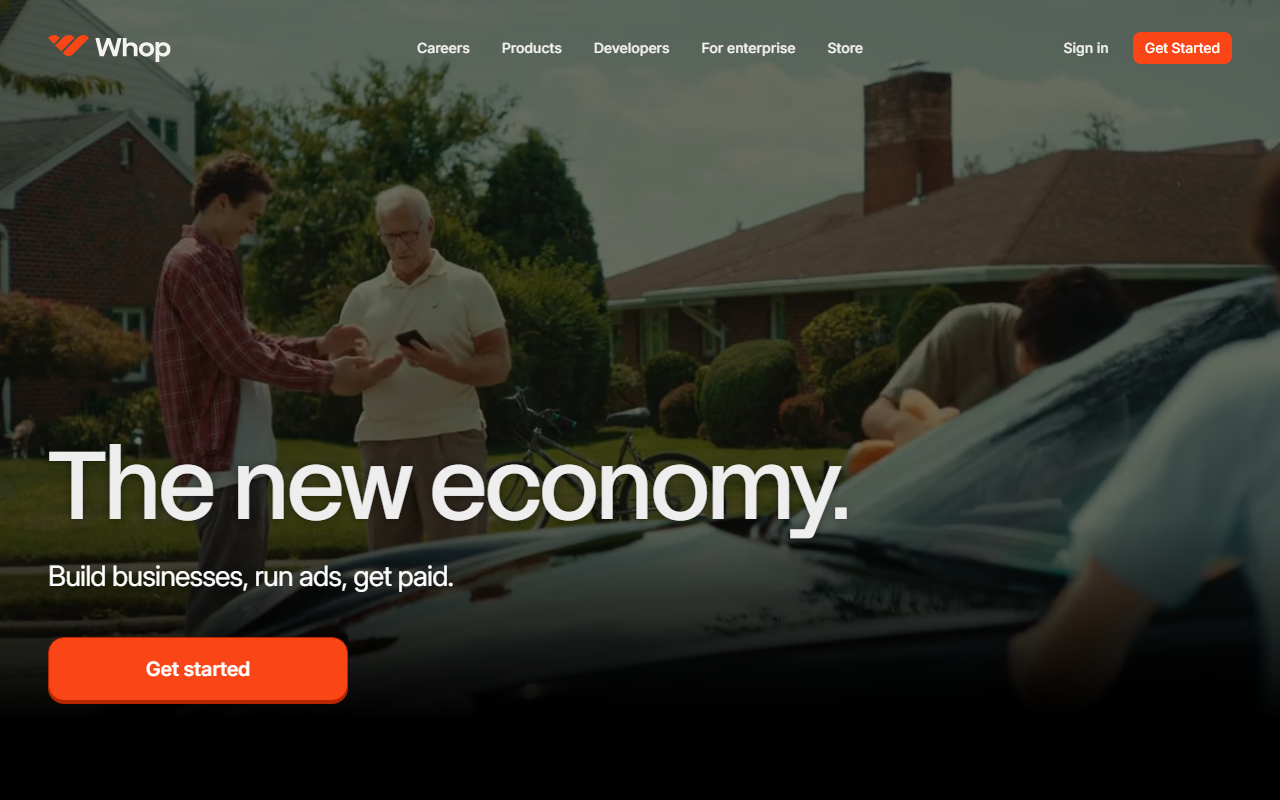
The marketplace that connects both sides is Whop, through a feature called Content Rewards. A campaign owner funds a budget, sets a rate per 1,000 views, and writes a brief. You join, post clips that follow the brief, submit your links, and the platform pays you from the campaign budget for the views your approved clips earn. You can read how Whop describes it in the official Whop Content Rewards documentation.
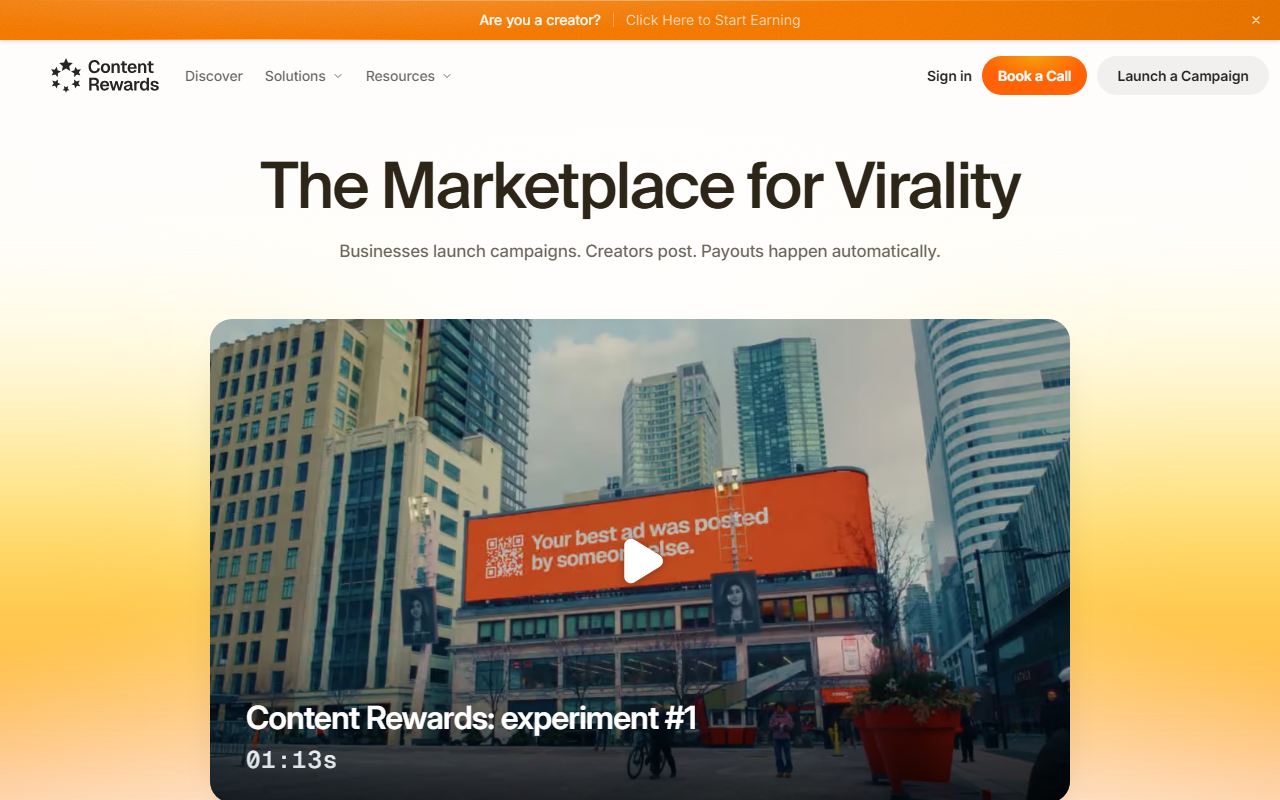
Content Rewards also has its own campaign marketplace at contentrewards.com, where you can browse live campaigns before you commit to anything.
Why AI Changed Whop Clipping for Beginners
A few years ago, turning a two-hour podcast into short clips meant watching the entire thing, writing down timestamps, cutting every moment, adding captions, and reframing for vertical video. It took forever.
Now an AI clipping tool can take a link, scan the video, and hand you a batch of potential clips with captions already added. What used to take a full day can take a few minutes.
That is the good news. The bad news is that it is also easier for everyone else. Anyone can make a clip now, so the clip alone is no longer the skill. The skill is knowing which clip will make someone stop scrolling, and which campaign is actually worth your time.
That judgment is what separates beginners who get paid from beginners who post 50 clips and get nothing. It is also exactly what I focused on when I put together The Content Clipping Blueprint, including walkthroughs of both a paid and a free-to-start AI clipping tool.
How Much Can You Earn From Whop Clipping as a Beginner?
Let's do the math, because most people skip it.
Rates differ a lot between campaigns. Many pay somewhere around $1 to $3 per 1,000 views, and some go lower or higher. Let's take $2 per 1,000 views as the middle ground.
- 1,000 views at $2 per 1,000 = $2
- 100,000 views = $200
- 1,000,000 views = $2,000
So to earn $2,000 in a month at that rate, you need about one million approved views in that month. That is possible with AI doing most of the editing, even if your clips average only 5,000 views each. You would need roughly 200 clips though, and that is a real volume of work.
Here is the part that is easy to miss. Several things sit between "views" and "money":
- Budgets are fixed. When the campaign pool runs out, the payouts stop, even if your clip is still getting views.
- Minimum payouts. Each campaign sets the smallest amount a clip must earn before it is reviewed. At $2 per 1,000 views with a $4 minimum, a clip needs about 2,000 views before it counts.
- Payout caps. Many campaigns cap how much a single clip can earn.
- Fees and timing. Platform fees, review windows and payout schedules can change, so always check the current terms.
- Only legitimate views count. Bought or bot views will not be paid and can get you flagged.
Some clippers report much bigger months than that. But those are the exceptions, and I will not promise you anything like it. The honest picture is that paid campaigns are a great way to learn the skill and build proof, and not always a great way to build stable income.
Whop Clipping for Beginners: Step-by-Step
This is the exact order I would follow if I were starting today.
Step 1: Create your Whop account and open Content Rewards
Sign up for a free account on Whop, then open Content Rewards and browse the available campaigns. You do not need to buy anything to look around. Spend your first session just reading campaign pages so you can see how they are structured.
Next, decide which short-form platform you will post on. TikTok, Instagram Reels, YouTube Shorts and X are the common ones, and each campaign lists which ones it accepts.
Step 2: Pick a campaign with real budget left
This is where most beginners lose time. They pick the campaign with the highest rate and ignore everything else.
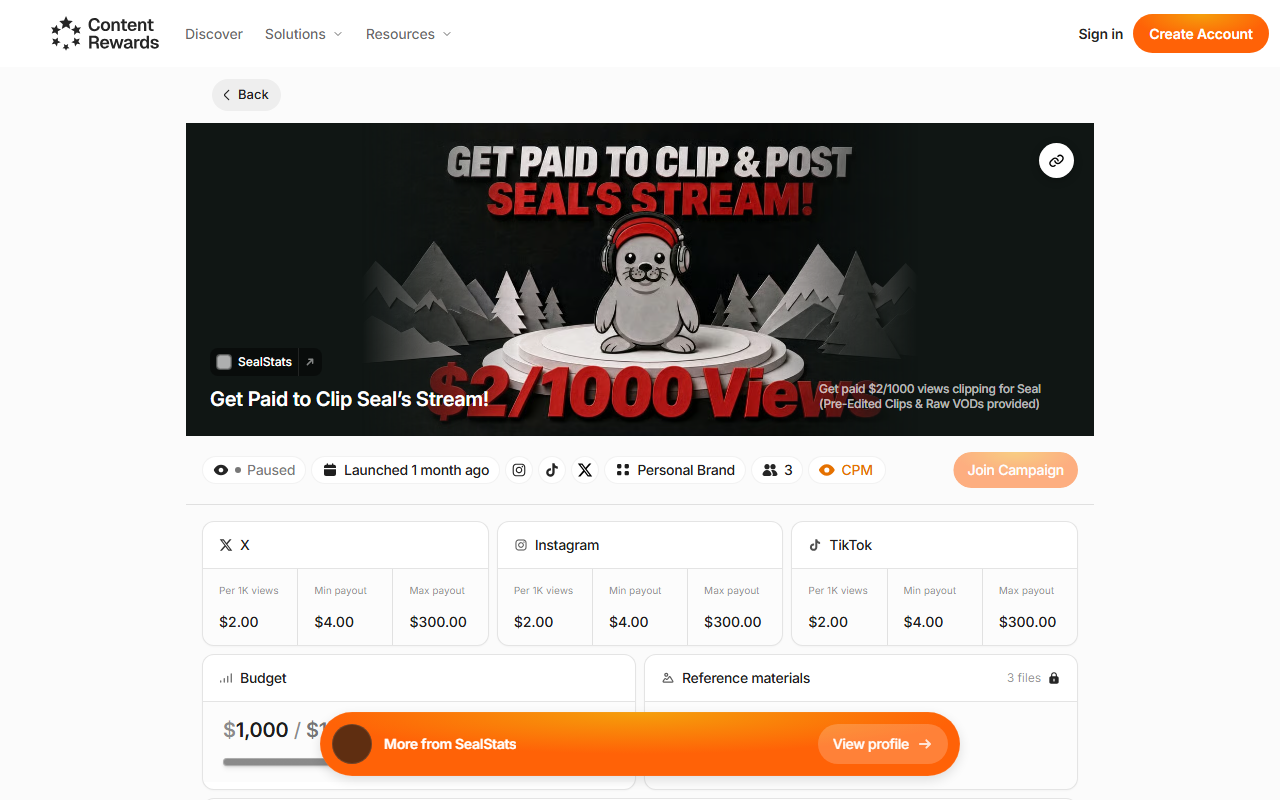
Open any campaign and look at the numbers. Here is a real example I captured, showing the rate per 1,000 views, minimum payout, maximum payout and budget for each platform.
Before you edit anything, check these five things:
- Budget remaining. A big rate with an empty pool pays nothing. (The campaign in my screenshot was actually paused when I captured it, which is a good reminder to check the status first.)
- Rate per 1,000 views. Compare it with how much effort the clips take.
- Minimum and maximum payout. This tells you how many views a clip needs before it counts.
- Accepted platforms. Do not edit a clip for a platform you do not have an account on.
- Competition. If hundreds of people are already clipping the same creator, your clip has to be better, not just present.
There are also two kinds of campaigns. Some are for proven, high-recognition content, like a big podcast or streamer, where the footage is already interesting. Others are for a real product, where you create clips that promote it. Each has trade-offs, and I break both down in the Content Clipping Blueprint, along with the profitability check I run before I spend an hour editing.
Step 3: Read the brief before you touch the footage
Every campaign has rules. Required hashtags, a credit line, a link in your bio, minimum clip length, banned edit styles, which source footage you may use.
Ignore the brief and your clip gets rejected, and you will have wasted your editing time for nothing. Read it first, every time, even if you think you already know what it says.
Step 4: Use an AI clipping tool to find the moments
Now the fun part. Copy the link to the long video, paste it into an AI clipping tool, and let it find the potentially viral moments. In a few minutes you will have a batch of clips, often already captioned and reframed to vertical.
This takes away about 95% of the production work. But do not post the batch blindly.
AI is good at finding interesting moments. It is not good at judging whether the first three seconds will stop a thumb mid-scroll. That is your job.
If you want to grab thumbnails or still frames from a video while you work, my free Video Frame Extractor is handy for that.
Step 5: Fix the hook by hand
Here is a simple example of why this matters.
Say the AI hands you a clip that starts with a speaker easing in with a slow setup sentence. The moment itself is strong, but nobody sticks around for three seconds of warm-up. They scroll.
So you trim the first few seconds and start right on the bold statement. Five minutes of manual editing, and the same clip suddenly has a much better chance of holding attention.
When I decide which moment is worth clipping, I use a simple Hook, Story, Payoff filter:
- Hook: does the first line make someone curious or a little uncomfortable?
- Story: does the middle build tension or deliver a point quickly?
- Payoff: does the end land, so the viewer feels they got something?
If a clip fails the hook, fix it or skip it. Do not post it and hope.
The full editing workflow, plus a captions and retention checklist, is inside The Content Clipping Blueprint.
Tired of guessing which campaigns are worth your time? The Content Clipping Blueprint shows you how to evaluate a campaign, edit faster, and avoid the most common rejection reasons. Get The Content Clipping Blueprint here.
Step 6: Post and submit the right way
Post the clip on your own account following the brief. Then submit the link inside Whop so the views can be tracked.
Small mistakes cause most rejections: a missing hashtag, the wrong platform, a clip that is too short, or source footage that is not allowed. Run through the brief one more time before you hit submit.
Step 7: Read your analytics, then repeat
After a few days, look at what happened. Which clips held attention? Which hooks worked? Where did people drop off?
Every clip should teach you something for the next one. That feedback loop is how beginners turn into people who consistently hit 100,000 views and more.
Common Whop Clipping Mistakes That Leave Beginners Unpaid
I have seen the same few mistakes over and over:
- Joining late. You pick a hot campaign, the budget is nearly gone, and your clips never get paid.
- Ignoring the minimum payout. Your clip earns less than the threshold, so it never gets reviewed.
- Skipping the brief. Rejected for something you could have checked in 30 seconds.
- Posting every AI clip. Volume without judgment burns your account and your time.
- Buying views. Only legitimate views count, and fake ones can get your account flagged.
- Clipping one campaign only. When it dries up, your income does too.
That last one is the real limit of paid campaigns, and it brings us to what comes next.
Level 2: Turn Whop Clipping Into a Clipping Service
Getting paid for views is level one. The problem with it is simple: if you stop posting, the money stops. And if the budget runs out, you start from scratch with a new campaign.
But after a few campaigns you have something more valuable than a small payout. You have proof. You have clips that hit real numbers, and you have learned what makes people stop scrolling.
That proof lets you move to a clipping service. Instead of waiting for a campaign, you approach creators who already make long-form content, like YouTubers and podcasters, but are not using short-form properly. You offer to turn their videos into 30 to 60 clips a month for a monthly fee.
The clipping process is almost identical to what you already learned. What changes is who pays you, and what skill you need. At this level, that new skill is sales:
- Find creators with plenty of long-form content and little short-form.
- Show your results from campaigns as proof.
- Make a free sample reel, or even a small fan page, to show what you can do.
- Explain the value in terms they care about, like reach and new audience.
Pricing varies widely. A first client might pay a few hundred dollars a month, and stronger results can justify more. Those are rough ballparks, not promises, and what you earn depends on your results and your ability to sell.
The upside is that this income is recurring, and AI does most of the manual work, so you are not stuck editing for 12 hours a day. If you want help turning this into a real offer, you can also book a strategy session with me.
Level 3: Move From Clipping to Content Strategy
A clipping service has one limit. The client decides what gets recorded, and you only decide what happens afterwards. If their content is boring or inconsistent, you are polishing clips that never create much value.
At level three you take control before the camera even starts. You work with business owners who have real experience and a good product, but no idea what to post. You start by understanding the business: who the customer is, what problem the product solves, why people should trust the owner, and what stops them from buying.
Then you build content to answer those questions. That means two new skills:
- Content strategy: some videos reach new people, some build trust, and some solve specific problems that turn viewers into buyers.
- Script writing: instead of searching old footage for a good moment, you write the clip yourself. AI can help a lot here, especially if you give it a clear picture of the brand and the audience.
At this stage you are no longer selling clips. You are selling an outcome: more customers and revenue. That is why the fees can be much higher, and also why the responsibility is bigger. If you want to speed up your scripting, my prompts library is a good place to start.
A Different Route: Earn on Whop Without Clipping at All
Now I want to be honest with you, because I do not want you to burn months on the wrong thing.
Clipping is a grind. Good campaigns can be rare, payouts can be small, and views that do not get tracked pay nothing. Some people hit the clipping wall and just want another way to earn on Whop.
That is exactly why I created The Whop Royalty Blueprint. It is the system I have used for over three years to build a repeatable promotion process on Whop, without clipping, without ads, without a big audience, and without showing your face. It is a 15-page illustrated guide with screenshots, a product selection checklist, copy-and-paste AI prompts, and a 30-day plan.
Want a second income path on Whop that is not clipping? See The Whop Royalty Blueprint here. It is a process, not a promise, and results vary.
And if you are still building your clipping skills, there is no need to choose. Clipping teaches you hooks, editing and what people watch. The royalty approach teaches you how to turn attention into repeatable commissions. Together they make a stronger base than either one alone. If you want more ideas on building income from your skills, take a look at my list of profitable digital products to sell.
Stack More Than One Income Source on a Single Clip
This is the part most clipping guides skip entirely.
Some campaigns are for real products. And some of those brands run their own affiliate or partner program somewhere else, completely separate from Whop. Where a campaign's terms allow it, that means one piece of content can sometimes connect to more than one place it can earn from.
The key phrase is where the terms allow it. Some campaign briefs do not permit it, and exclusivity rules vary. So you must always check the specific brief before you rely on it. It is not a loophole. It is a bookkeeping habit.
I walk through how to tell the two kinds of campaigns apart, how to check the brief, and how to find and apply to a brand's affiliate program, with a real campaign case study, inside The Content Clipping Blueprint.
Your First 14 Days of Whop Clipping
If you want a simple plan, here is how I would structure the first two weeks:
- Days 1 to 2: create your account, browse Content Rewards, and shortlist three campaigns with budget left.
- Days 3 to 4: read the briefs, choose one campaign, and set up the account you will post on.
- Days 5 to 7: make your first five clips with an AI clipping tool, and fix every hook by hand.
- Days 8 to 10: post daily and submit each link correctly.
- Days 11 to 12: read your analytics and note which hooks held attention.
- Days 13 to 14: double down on what worked, and decide whether to add a second campaign.
The Content Clipping Blueprint includes a full 14-day sprint plan and master checklists you can keep next to your editor, so you are never staring at a blank screen wondering what to do next.
Ready to start Whop clipping the right way? Get The Content Clipping Blueprint for the full clipping workflow, or The Whop Royalty Blueprint if you would rather earn on Whop without clipping. Both are instant digital downloads.
Frequently Asked Questions About Whop Clipping for Beginners
Is Whop clipping legit?
Whop Content Rewards is a real marketplace where brands pay clippers per 1,000 views. But it is not a guaranteed income. Campaign budgets are limited, payouts depend on approved and legitimate views, and rules differ between campaigns. Treat it as a skill-building opportunity, check the terms of every campaign, and be wary of anyone who promises specific earnings.
How much do beginners make from Whop clipping?
It depends on the campaign rate, your view count and how many of your clips get approved. At a typical rate of about $2 per 1,000 views, a clip with 5,000 views earns roughly $10. Many beginners earn little at first while they learn hooks and campaign selection. Results are not typical or guaranteed.
Do I need followers to start Whop clipping?
Not usually. Many campaigns do not require a minimum follower count, but each campaign sets its own requirements, so read the brief first. A fresh account that posts strong hooks consistently can still pick up views.
Which platforms can I use for Whop Content Rewards?
It depends on the campaign. Common options are TikTok, Instagram Reels, YouTube Shorts and X. Each campaign page lists the platforms it accepts, along with the rate for each one.
Do I need a paid AI clipping tool?
No. There are free-to-start AI clipping tools that are good enough for a beginner, and you can also edit fully by hand if you want more control. A paid tool can save time once you are posting daily. The Content Clipping Blueprint walks through both a paid option and a free-to-start option.
Is it legal to clip other people's videos on Whop?
Only clip footage you have permission to use. Content Rewards campaigns normally provide approved source material or tell you what you may use. Stay inside the campaign brief and follow each platform's terms of service. This is not legal advice.
How do I get paid for Whop clipping?
You submit your posted clip links to the campaign. Once your clips are approved and the views are verified, you are paid from the campaign budget. Payout timing, fees and thresholds can change, so check the current details in the official Whop documentation.
Final Thoughts: Start Small, Build Proof, Then Level Up
If you are starting from zero, the plan is simple. Use paid campaigns on Whop Content Rewards to build skill and proof. Learn to spot hooks and pick campaigns with real budget. Then use that proof to move up into a clipping service, and eventually into strategy.
The important thing is that you do not try to skip the skills each level requires.
When you are ready, the next step is to grab The Content Clipping Blueprint and follow the process, or check out The Whop Royalty Blueprint for a way to earn on Whop without clipping. You can also browse the tools I use or read more guides on the blog.
Good luck, and I will see you in the next one.
Disclaimer: This article is educational and is not financial advice. Results are not typical or guaranteed. I am not affiliated with, endorsed by or sponsored by Whop. Campaign availability, pay rates, fees and platform rules change, so always check the current terms before you start.
I take on a limited number of builds: Lovable/Cursor apps, payments, and AI features wired up end to end.
Builder writing about what actually ships: AI tools, vibe-coding workflows, and the payment/infra plumbing tutorials skip.
Comments
No comments yet, be the first.